

Finding the right balance between stunning visuals and high frame rates can feel impossible for gamers seeking the edge in competitive play. Ray tracing delivers photorealistic lighting, shadows, and reflections by simulating the physics of light—but it comes at a performance cost that impacts gameplay fluidity. This guide breaks down how ray tracing enhances realism while revealing smart ways to optimize your settings for both visual quality and responsive performance, giving you the clarity to make strategic decisions for every gaming session.
$ads={1}
{getToc} $title={Table of Contents}
Key Takeaways
| Point | Details |
|---|---|
| Ray Tracing vs. Rasterization | Ray tracing provides photorealistic lighting and shadows by simulating light paths accurately, while rasterization uses approximations for faster rendering. |
| Performance Trade-Off | Enabling ray tracing can lead to significant FPS drops and higher GPU temperatures, necessitating careful management of settings for optimal gameplay. |
| Hybrid Rendering Techniques | Most modern games use hybrid pipelines that blend ray tracing with rasterization to optimize visual quality without sacrificing essential performance. |
| Hardware Requirements | Dedicated ray tracing hardware is essential for effective use; minimum requirements include GPUs like the Nvidia RTX 2060 or AMD RX 5700 XT and adequate system specifications. |
Ray tracing in gaming explained clearly
Ray tracing is a rendering technique that simulates how light actually behaves in the real world. Instead of using shortcuts, it calculates the path of individual light rays as they bounce through your game world, creating lighting, reflections, and shadows that look photorealistic.
Think of it like this: traditional graphics engines fake lighting effects using math approximations. Ray tracing does the hard work of actually tracing light, pixel by pixel, to see what hits your screen.
How Ray Tracing Works
The core concept is straightforward but computationally intense. Ray tracing simulates light paths traveling through a virtual scene, bouncing off objects and interacting with surfaces. Your GPU calculates these interactions to produce realistic lighting, reflections, and shadows.
Here’s what happens in the process:
- Light rays bounce from the camera into the scene
- They hit objects and bounce around multiple times
- Each bounce carries information about color and light intensity
- The final image combines all these calculations into what you see
Traditional rasterization works differently. It projects 3D objects onto 2D and applies lighting approximations, which is faster but less accurate. Ray tracing offers more physical accuracy by directly calculating light interactions, delivering the realism modern gamers expect.
The Performance Trade-Off
Ray tracing looks incredible, but your GPU pays a heavy price. Real-time ray tracing requires massive computational power, causing measurable performance costs:
- FPS drops (sometimes 20-40% lower frame rates)
- Increased GPU temperature and power consumption
- Longer load times in some games
- Higher system requirements overall
This is why most modern games use hybrid pipelines. They combine traditional rasterization with selective ray tracing, balancing visual quality against playable frame rates. You get realistic reflections and shadows where it matters most, without sacrificing performance everywhere.
Ray tracing delivers photorealistic lighting effects, but the performance cost means smart implementation beats raw power every time.
For competitive gamers, this matters. High frame rates win matches. Developers know this, which is why they let you toggle ray tracing on and off, or dial it down to specific effects like reflections only.
Pro tip: Start with selective ray tracing enabled (reflections or shadows only) and monitor your FPS. Disable it entirely if you drop below your competitive threshold, since visual clarity matters less than hitting 144+ FPS in competitive multiplayer.
Variations and hybrid rendering techniques
Pure ray tracing looks amazing but crushes frame rates. That’s why developers use hybrid rendering—mixing ray tracing with traditional rasterization to get the best of both worlds. You get photorealistic visuals without sacrificing the performance you need for smooth gameplay.
Think of it as strategic compromise. Ray tracing handles the expensive stuff (reflections, global illumination), while rasterization processes most of the geometry. Your GPU does less work overall, and you stay above 60 FPS.
How Hybrid Pipelines Work
Hybrid rendering splits the workload intelligently. Rasterization renders the primary scene geometry quickly. Then ray tracing selectively handles complex effects like shadows, reflections, and ambient occlusion where visual impact matters most.
The process breaks down like this:
- Rasterization creates the base scene geometry and colors
- Ray tracing adds realistic reflections on water or glass
- Ray tracing calculates accurate shadows from multiple light sources
- Denoising filters clean up any noise from limited ray samples
- Final image combines both techniques seamlessly
This approach lets developers scale quality to hardware. On a budget GPU, you get fewer ray-traced effects. On high-end systems, you get ray tracing everywhere.
Advanced Techniques Boosting Quality
Modern hybrid systems use sophisticated tricks to maintain quality while improving performance. Temporal filtering reuses lighting data from previous frames. Spatial filtering smooths noise across pixels. These techniques allow fewer rays per frame without visual degradation.
Key optimization methods include:
- Temporal-spatial filtering for cleaner images
- Denoising algorithms that maintain detail
- Variable sample rates (fewer rays in less important areas)
- Dynamic resolution scaling based on GPU load
Hybrid approaches integrate rasterization strengths with ray tracing precision, enabling scalable solutions across different hardware tiers. Some studios use ray tracing for global illumination preview during development, then bake the results into textures for real-time performance.
Smart hybrid pipelines achieve photorealistic results at playable frame rates—this is the current standard in competitive modern gaming.
Games like Cyberpunk 2077, Minecraft with RTX, and Fortnite all use hybrid approaches. They balance visual fidelity with frame rates that keep competitive play viable.
Pro tip: Check your game’s settings menu for ray tracing toggles. Start with ray tracing reflections only, then gradually enable shadows or ambient occlusion while monitoring FPS—this lets you find your ideal visual-to-performance balance without guessing.
Benefits of ray tracing for game visuals
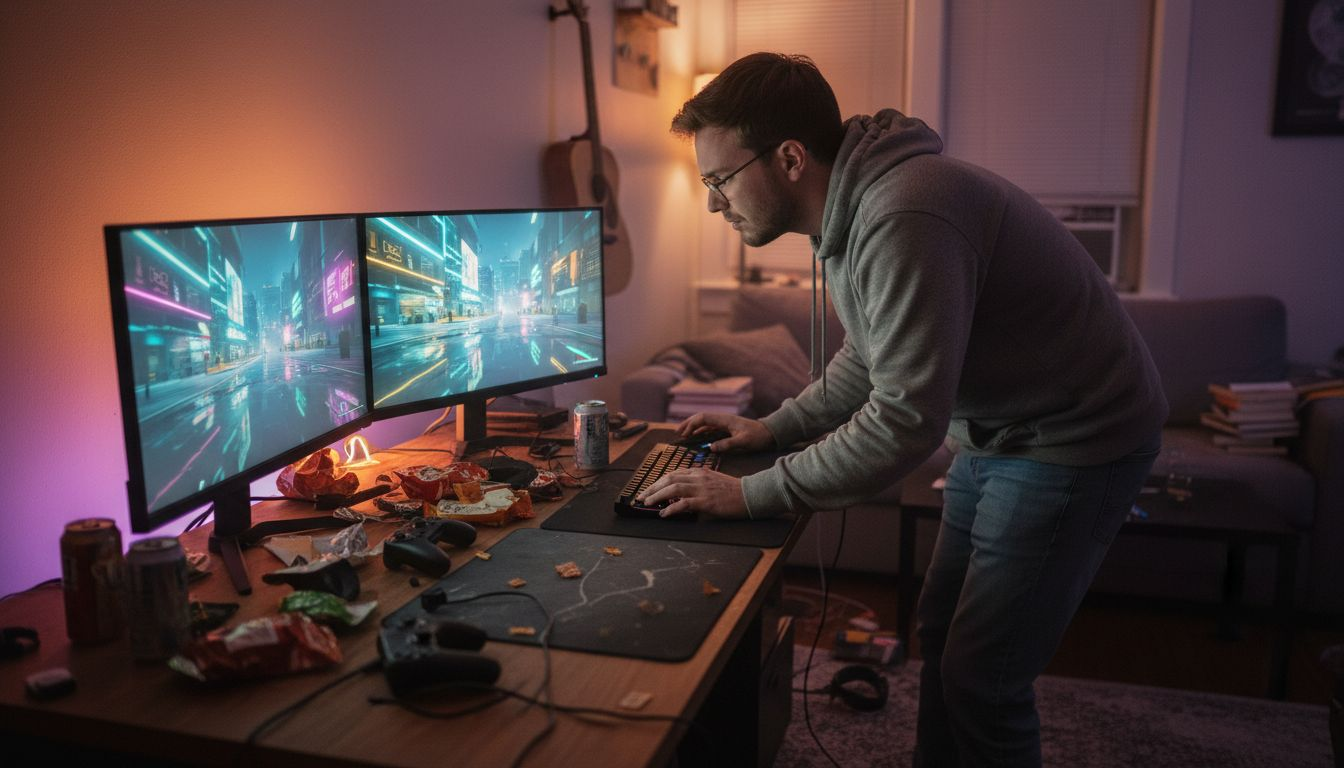
Ray tracing transforms how games look by delivering visuals that mirror reality. When light behaves correctly, your brain accepts what’s on screen as authentic. This isn’t just about prettier graphics—it changes how immersed you feel in a game world.
The difference between ray-traced and traditional lighting is immediately obvious. Reflections look real. Shadows fall naturally. Environments feel alive instead of flat and artificial.
Realistic Lighting and Shadows
Ray tracing significantly enhances visual fidelity by providing accurate lighting, shadows, reflections, and global illumination that rasterization cannot achieve. Shadows no longer appear as flat polygons. They respond to multiple light sources, bend around objects, and soften at edges like real shadows do.
This matters in games like:
- First-person shooters where shadow detail affects gameplay visibility
- Racing games where road reflections add visual polish
- Story-driven games where atmospheric lighting enhances immersion
- Horror titles where shadow accuracy creates genuine tension
Traditional rasterization uses approximations. Ray tracing calculates actual light paths, making shadows physically accurate.
Reflections and Material Realism
Water, glass, and metal look completely different with ray tracing. Watch how a reflection moves across a wet road in Cyberpunk 2077—that’s ray tracing calculating light bounce in real time. Metal surfaces reflect their environment. Glass shows refraction. These details accumulate to create believable worlds.
Ray tracing enables:
- Accurate reflections on any surface
- Realistic translucency (light passing through materials)
- Metal and chrome surfaces that catch light naturally
- Water surfaces that reflect sky, terrain, and objects correctly
Global Illumination and Atmosphere
Ray tracing surpasses rasterization by enabling real-time global illumination and advanced lighting effects, enhancing immersion dramatically. Light no longer just comes from direct sources. It bounces between surfaces, filling corners with realistic ambient light. Rooms feel naturally lit instead of painted with flat colors.
This creates environments that feel three-dimensional and believable.
Ray-traced visuals elevate player engagement by making virtual worlds feel tangible and authentic—your brain stops questioning what it sees.
When everything is lit correctly, you stop noticing the lighting. You just accept the world as real. That’s the power of ray tracing.
Pro tip: Load a game with ray tracing on, then toggle it off in the settings—the difference is shocking. Comparing these visuals side-by-side trains your eye to spot what ray tracing actually does, helping you decide if the FPS cost is worth it for your gaming style.
Here’s how common ray-traced effects impact both visuals and performance:
| Ray-Traced Effect | Visual Enhancement | Typical Performance Cost |
|---|---|---|
| Reflections | Water, metal, and glass look realistic and dynamically respond to light sources | Moderate FPS drop |
| Shadows | Soft edges with accurate object shape and depth realism | Noticeable FPS impact |
| Ambient Occlusion | Subtle contact shadows that enhance depth between surfaces | Light to moderate cost |
| Global Illumination | Natural room and environmental lighting with realistic bounce effects | Significant FPS penalty |
$ads={2}
Performance impact and hardware requirements
Ray tracing is stunning. It’s also expensive. Your GPU does exponentially more work, and that cost shows up in frame rates, temperatures, and power consumption. Understanding this trade-off is critical before enabling ray tracing.
The performance hit isn’t theoretical—it’s real and measurable. Most gamers see significant FPS drops immediately after turning ray tracing on.
Real-World Performance Costs
Real-time ray tracing improves graphics quality at the cost of reduced gameplay fluidity, with observed 20-30 FPS drops and increased GPU temperature and power consumption. A game running at 120 FPS with ray tracing off might drop to 90 FPS with it enabled. That 30 FPS loss matters in competitive shooters.
Typical performance impacts include:
- 20-30 FPS reduction in demanding games
- GPU temperatures climbing 10-15 degrees Celsius
- Power consumption increasing 30-50 watts or more
- Extended load times when ray tracing preprocessing occurs
- Potential thermal throttling on weaker cooling solutions
These numbers vary by game, settings, and hardware. Some games see 40% FPS drops. Others manage 10-15%. Hybrid ray tracing (reflections only) reduces costs compared to full ray tracing everywhere.
GPU Requirements for Ray Tracing
Not every graphics card can handle ray tracing effectively. You need dedicated ray tracing cores—hardware specifically designed for these calculations. Entry-level or aging GPUs lack this, making ray tracing either impossible or painfully slow.
Minimum GPU requirements:
- Nvidia RTX 2060 or newer (RTX 3060+ recommended)
- AMD Radeon RX 5700 XT or newer (RX 6700+ recommended)
- Intel Arc A770 or newer (limited support currently)
- 8GB VRAM minimum, 12GB+ for high settings
High-end options like RTX 4090 or RX 7900 XTX handle ray tracing at maximum settings with playable frame rates. Mid-range cards like RTX 4070 balance quality and performance well.
Here is a quick reference for recommended hardware tiers for ray tracing:
| Hardware Tier | Recommended GPU Models | Expected Settings |
|---|---|---|
| Entry-Level | RTX 2060, RX 6600 XT | Low / Medium ray-tracing effects |
| Mid-Range | RTX 3070, RX 6800 | Medium / High settings at 1080p |
| High-End | RTX 4080, RX 7900 XTX | Ultra settings at 1440p / 4K |
CPU and System Requirements
Your GPU isn’t alone. Ray tracing also stresses your CPU and requires fast RAM. Bottlenecks happen when your CPU can’t feed geometry data to the GPU quickly enough.
Build recommendations:
- CPU: 8-core processor (Ryzen 5 5600X or Intel i7-12700 equivalent)
- RAM: 16GB minimum, 32GB preferred
- Storage: NVMe SSD for fast shader loading
- Power supply: 850W+ for high-end ray tracing systems
- Cooling: Quality CPU and GPU coolers to manage heat
Cheap power supplies and weak coolers become liabilities with ray tracing enabled.
Ray tracing demands premium hardware—budget builds should prioritize high refresh rates over ray tracing quality.
Pro tip: Monitor your GPU temperature and power draw while gaming with ray tracing enabled. If temps exceed 85°C or power draw seems abnormal, dial back ray tracing settings or improve your case cooling before hardware damage occurs.
Ray tracing versus traditional graphics methods
Every game you play uses one of two rendering approaches: rasterization or ray tracing. Understanding the differences helps you appreciate what you’re seeing and why your GPU struggles with certain settings.
Think of rasterization as a painter using shortcuts. Ray tracing is a painter calculating every light interaction. One is fast. One is accurate. Most games use both.
How Rasterization Works
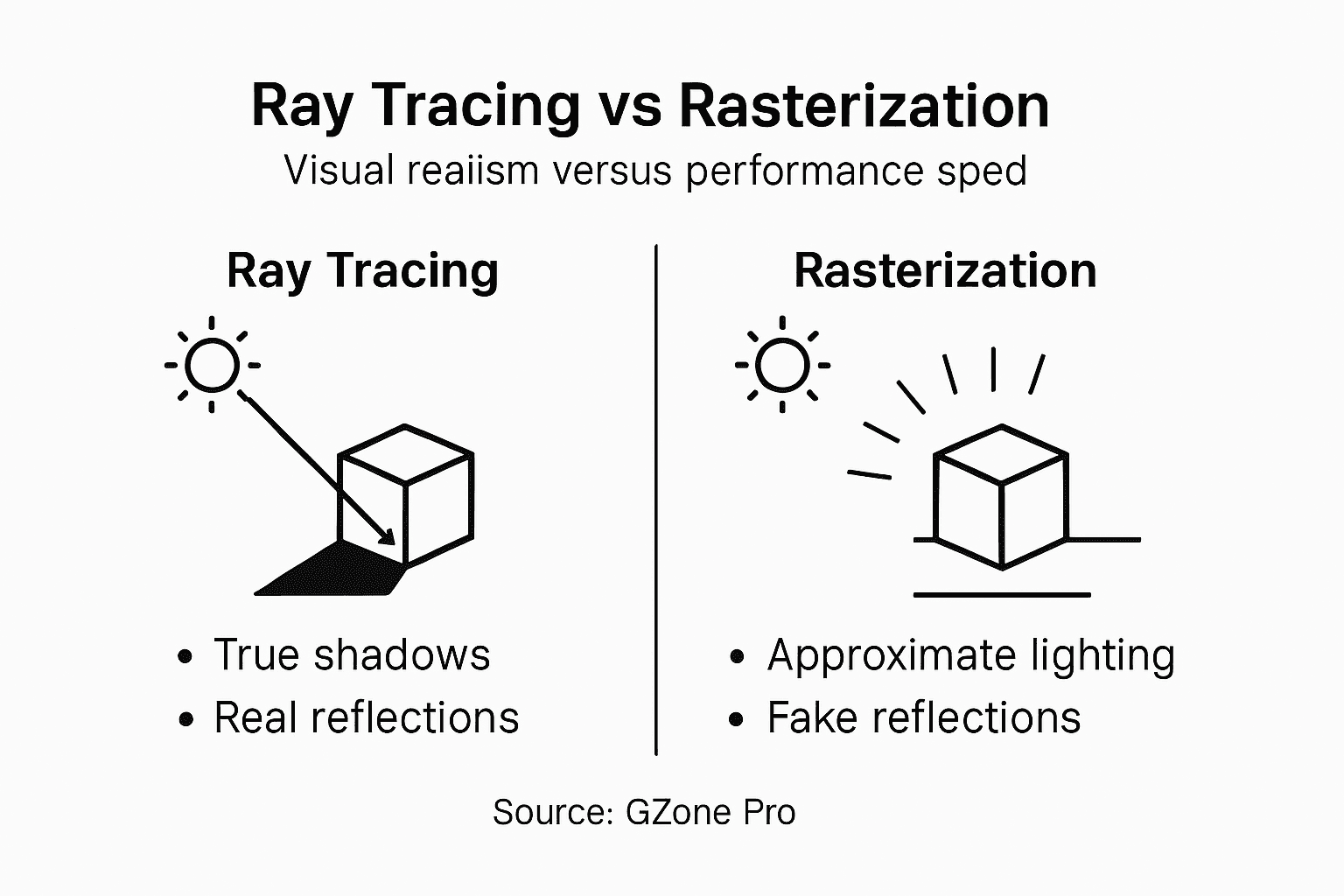
Rasterization is the traditional method. It projects 3D polygons into 2D pixels and uses approximations for complex lighting effects. Your GPU renders geometry quickly by converting 3D models into flat screen pixels, then applies lighting approximations.
Rasterization strengths:
- Extremely fast (proven 30+ year track record)
- Well-optimized across all GPUs
- Handles complex geometry efficiently
- Powers most competitive gaming titles
- Minimal overhead on older hardware
The catch? Lighting is faked. Reflections are precomputed textures. Shadows use tricks like shadow mapping. The illusion works well enough that you accept it as real, but it’s fundamentally approximation-based.
How Ray Tracing Works Differently
Ray tracing traces individual light paths, simulating shadows, reflections, and refractions with high accuracy. Instead of faking light, it calculates it. Your GPU traces rays backward from your camera through each pixel, bouncing them around the scene until they hit a light source.
Ray tracing advantages:
- Photorealistic accuracy for reflections and shadows
- No precomputed approximations needed
- Global illumination calculated in real time
- Complex material interactions handled automatically
- Scale to any environment complexity
The cost? Massive computational demand. One pixel might require dozens or hundreds of ray calculations.
Rasterization vs. Ray Tracing Head-to-Head
Rasterization wins on speed. Ray tracing wins on realism. That’s why hybrid approaches dominate modern gaming—they balance both concerns.
| Aspect | Rasterization | Ray Tracing |
|---|---|---|
| Speed | Very fast | Slow |
| Realism | Approximated | Highly accurate |
| Reflections | Faked | Physically calculated |
| Shadows | Shadow mapping | Physically accurate |
| Performance Cost | Minimal | Massive |
| GPU Demand | Low-end capable | High-end required |
Rasterization still dominates competitive esports titles where 240+ FPS matters more than perfect reflections. Story-driven games increasingly adopt ray tracing because visual quality matters more than frame rate extremes.
The best rendering method depends on your priorities: frame rate or visual fidelity. Most modern games let you choose by toggling ray tracing.
Neither method is objectively “better.” They serve different purposes. Rasterization lets you chase competitive frame rates. Ray tracing lets you explore beautiful, believable worlds.
Pro tip: Disable ray tracing entirely in competitive multiplayer shooters where 144+ FPS matters, but enable it in single-player story games where visual immersion is the priority—this strategy gives you maximum performance where it counts most.
Unlock the Full Potential of Ray Tracing and Elevate Your Gaming Experience
The challenge with ray tracing is balancing breathtaking visuals with smooth gameplay. We understand your need to enjoy photorealistic lighting, reflections, and shadows while keeping frame rates high enough for competitive play. Whether you are dealing with performance drops or choosing the right hardware to maximize ray tracing effects, mastering these complexities is essential for a truly immersive experience.
GZone Pro is here to help you navigate these challenges. Explore expert guides on optimizing your gaming PC for ray tracing, discover top-tier gaming accessories, and stay ahead with the latest esports industry insights. Learn how to fine-tune ray tracing settings for the best balance between quality and performance or pick the perfect GPU that meets your needs.

Join the community of passionate gamers and tech enthusiasts at GZone Pro. Start by exploring our comprehensive gaming guides and tips for building a powerful ray tracing-ready setup. Don’t wait to enhance your visuals and boost your competitive edge. Visit us now and take your game to the next level!
Frequently Asked Questions
What is ray tracing in gaming?
Ray tracing is a rendering technique that simulates the way light behaves in the real world, calculating the path of individual light rays to create photorealistic lighting, reflections, and shadows in games.
How does ray tracing affect game performance?
Ray tracing can significantly lower frame rates, leading to drops of 20-40% or more in FPS, increased GPU temperatures, and higher power consumption. It’s essential for players to understand these trade-offs when enabling ray tracing.
What are hybrid rendering techniques in ray tracing?
Hybrid rendering combines traditional rasterization with ray tracing to balance performance and visual quality, allowing for realistic effects like reflections and shadows while maintaining playable frame rates.
How does ray tracing enhance visual fidelity compared to traditional graphics methods?
Ray tracing provides accurate lighting, shadows, and reflections that mimic real-world behavior, making game environments feel more immersive and believable compared to traditional rasterization methods that use approximations.