

Trying to get the most out of smartphones while gaming can feel overwhelming when you have so many choices and features to weigh. As an American or European casual gamer, finding a device that balances affordability with power and security makes a huge difference. This guide helps you focus on what matters most—smartphone specs, safe game downloads, and practical beginner-friendly strategies—so you can enjoy smooth, secure gameplay without hassle.
$ads={1}
{getToc} $title={Table of Contents}
Quick Summary
Mobile Gaming Key Steps
| Main Insight | Explanation |
|---|---|
| 1. Choose High-End Specifications | Select smartphones with powerful processors, at least 8GB RAM, and high-quality displays to maximize gaming performance. |
| 2. Download Games Securely | Only use official app stores to reduce the risk of malware and verify developer credentials before downloading. |
| 3. Optimize Game Settings | Adjust in-game settings for resolution, texture, and frame rates for a smoother gameplay experience that matches your device’s capabilities. |
| 4. Master Game Controls | Practice controls through tutorials and customize layouts to enhance your gameplay and develop muscle memory effectively. |
| 5. Track Progress and Set Goals | Regularly record gameplay and analyze performance metrics to refine skills and establish progressive gaming objectives for improvement. |
Step 1: Choose the Right Smartphone for Gaming
Choosing the right smartphone for mobile gaming can transform your entire gaming experience. Your device is essentially the foundation for smooth, immersive gameplay, so selecting wisely matters.
When hunting for the perfect gaming smartphone, you’ll want to focus on several critical performance factors. Comprehensive device comparisons reveal that processor speed, RAM, display quality, and battery life are the most crucial elements for serious mobile gamers.
Here are the key considerations when selecting a gaming smartphone:
Processor Power: Look for smartphones with high-end Snapdragon or Exynos processors
RAM: Aim for at least 8GB, preferably 12GB for advanced gaming
Display: Seek AMOLED or OLED screens with 120Hz refresh rates
Battery: Choose devices with 4500mAh or higher battery capacity
Cooling System: Prioritize phones with advanced thermal management
Pro tip: Always check benchmark scores and real-world performance reviews before making your final decision.
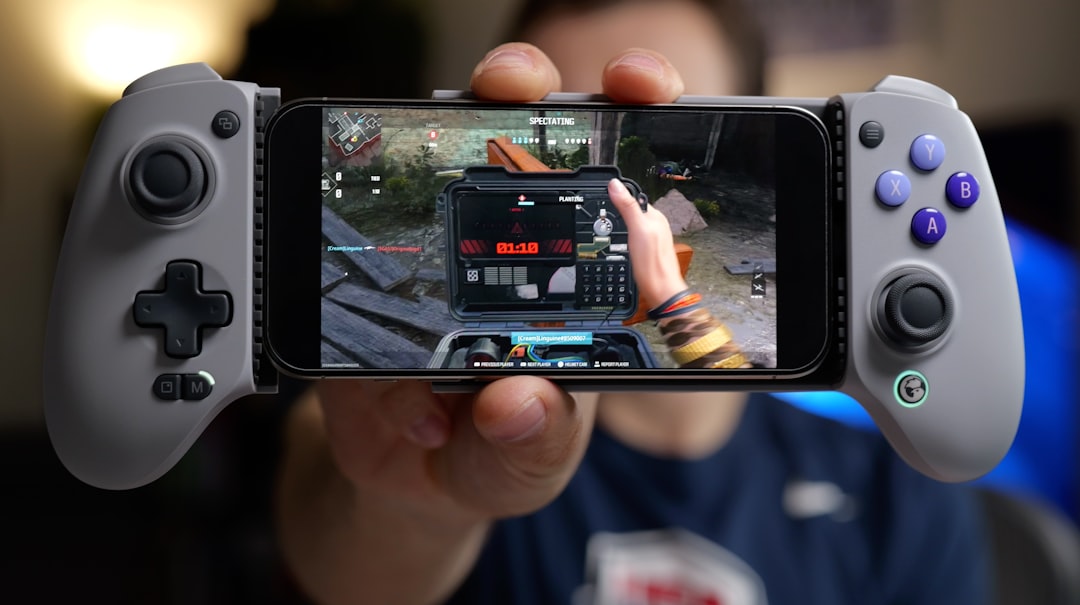
The mobile gaming market offers options across different price ranges. Consumer reports highlight that flagship devices like the Samsung Galaxy S23 Ultra provide top-tier performance, while more budget-friendly options like the Google Pixel 7a can still deliver solid gaming experiences.
Pro Tip: Research and compare devices within your budget, focusing on gaming-specific performance metrics rather than overall smartphone ratings.
Pro tip: Consider purchasing a smartphone with expandable storage or substantial built-in memory to accommodate large game installations.
Here’s a quick comparison of gaming smartphones across different price ranges:
Top Gaming Smartphones Comparison
| Model | Price Range | Gaming Performance | Key Strength |
|---|---|---|---|
| Samsung Galaxy S23 Ultra | Premium ($1200+) | Exceptional | High-end display and processor |
| Google Pixel 7a | Budget ($450) | Good | Reliable performance for cost |
| Asus ROG Phone 7 | Mid to High ($900) | Outstanding | Advanced cooling, gaming features |
| OnePlus 11 | Mid ($700) | Very Good | Strong processor, fast charging |
Step 2: Download Popular Mobile Games Securely
Downloading mobile games securely is crucial to protect your device and personal information from potential cyber threats. With the digital gaming landscape constantly evolving, knowing how to download games safely is more important than ever.
Mobile security guidelines emphasize the importance of downloading games exclusively from official app stores like Google Play or Apple App Store. These platforms offer built-in security checks and verification processes that significantly reduce the risk of downloading malicious software.
Here are key steps to ensure secure mobile game downloads:
Verify the App Source: Download only from official app stores.
Check Developer Credentials: Look for verified developer badges.
Read User Reviews: Review recent ratings and user feedback.
Review Permissions: Carefully examine the permissions requested by the game.
Update Regularly: Keep your games and device software up to date.
Legitimate apps from trusted sources minimize security risks.
Cybersecurity experts recommend enabling additional security settings on your device. This includes verifying HTTPS connections and blocking installations from unknown sources.
Before downloading any game, take a moment to research its reputation and potential security implications. Reputable games from well-known developers typically offer safer download experiences.
Pro tip: Consider using mobile security apps that provide additional verification and scanning of downloaded games before installation.
For reference, here are popular security features found in official app stores:
Mobile App Security Comparison
| Store / Feature | Security Feature | User Benefit |
|---|---|---|
| Google Play Store | Malware scanning | Prevents harmful downloads |
| Apple App Store | Developer verification | Ensures trusted sources |
| Permission controls | Limits app access | Protects user privacy |
| Regular updates | Patch vulnerabilities | Keeps games safe and current |
Knowing these features helps maximize your device safety during game downloads.
$ads={2}
Step 3: Configure Game Settings for Best Performance
Configuring your mobile game settings can dramatically improve your gaming experience, transforming how smoothly and efficiently your favorite games run. Getting the right balance between visual quality and performance is key to unlocking the best possible gameplay.
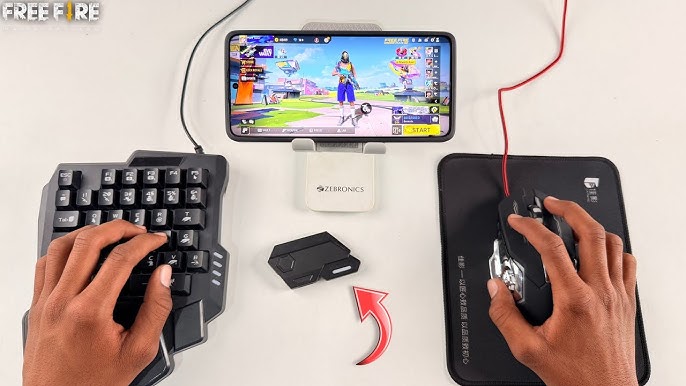
Mobile gaming performance guides suggest that adjusting graphics settings is crucial for optimizing your gaming experience. Different devices require different configurations, so understanding your smartphone’s capabilities is the first step towards creating the perfect gaming setup.
Here are essential settings to optimize for peak gaming performance:
Resolution: Adjust it to match your device’s native screen resolution.
Texture Filtering: Choose medium to high settings depending on your device’s performance.
Graphics Backend: Select Vulkan for newer devices with better performance support.
Frame Rate: Set it to 30 or 60 FPS depending on your device capabilities.
Background Processes: Close unnecessary applications before gaming.
e optimization requires understanding your device’s unique capabilities.
Emulator performance recommendations highlight the importance of enabling dual-core processing and selecting optimal graphics backends. These technical adjustments can significantly reduce input lag and improve overall game responsiveness.
Remember that every game and device is different. Experiment with settings to find the perfect balance between visual quality and smooth performance that works best for your specific smartphone.
Pro tip: Create separate performance profiles for different game types to quickly switch between optimized settings.
Step 4: Practice Game Controls and Mechanics
Mastering mobile game controls is about developing muscle memory and understanding the unique mechanics of each game. The difference between a good player and a great player often comes down to how well you can navigate and utilize game-specific control schemes.
Game control mechanisms vary widely across different mobile games, requiring players to adapt quickly and learn unique interaction styles. Touch controls demand precision, timing, and strategic finger placement that can make or break your gaming performance.
Here are key strategies for improving your game control skills:
Practice in Tutorial Mode: Always complete initial game tutorials.
Customize Control Layouts: Adjust on-screen buttons to your comfort.
Use Training Scenarios: Repeat challenging sequences multiple times.
Study Professional Gameplay: Watch top players’ control techniques.
Experiment with Sensitivity: Find your optimal touch response settings.
Consistent practice transforms complex controls into instinctive actions.
Game mechanics research emphasizes that understanding a game’s underlying rules is crucial for developing advanced control strategies. Each game has its own unique interaction system that rewards players who invest time in learning its nuances.
Remember that becoming proficient takes time. Don’t get discouraged if you don’t master controls immediately. Every gaming session is an opportunity to improve your skills and muscle memory.
Pro tip: Record and review your own gameplay videos to identify specific areas where your control techniques can be refined.
Step 5: Test Your Progress and Adjust Strategies
Tracking and improving your mobile gaming performance requires a systematic approach to understanding your strengths and identifying areas for growth. Consistent evaluation is the key to transforming from a casual player to a skilled gamer who can adapt and excel across different game challenges.
Player progression research demonstrates how strategic self-assessment can dramatically improve gaming skills. By methodically analyzing your gameplay, you can develop more effective strategies and make targeted improvements that elevate your overall performance.
Here are critical methods for testing and refining your gaming approach:
Record Gameplay: Capture video of your gaming sessions.
Analyze Performance: Review recordings to identify skill gaps.
Compare Metrics: Track score, completion time, and achievement rates.
Seek Feedback: Engage with gaming communities for constructive criticism.
Set Progressive Goals: Create incrementally challenging objectives.
Continuous improvement transforms good players into great gamers.
Gameplay engagement studies highlight the importance of balancing cognitive challenge with emotional motivation. This means not just tracking numerical performance, but also maintaining your enthusiasm and enjoyment while pushing your skill boundaries.
Remember that progress isn’t always linear. Some days you’ll perform exceptionally, while others might feel more challenging. The key is maintaining a growth mindset and viewing each gaming session as an opportunity to learn and improve.
Pro tip: Create a simple spreadsheet to log your gaming performance, tracking key metrics like win rates, average scores, and specific skill improvements.
Discover How to Level Up Your Mobile Gaming Skills Today
Starting your mobile gaming journey can be exciting but also challenging, especially when selecting the right smartphone or mastering game controls and settings. This guide highlights common pain points like choosing devices with optimal processors, configuring game settings for smooth play, and safely downloading popular games — crucial steps every beginner faces.
At Games Zone Pro, we understand these struggles and provide thorough smartphone reviews, expert comparisons, and technical tips to help you make confident choices and enhance your gameplay. Whether you seek advice on finding devices with advanced cooling systems or want to learn how to fine-tune game performance, our resources have you covered.
Don’t let uncertainty hold you back from excelling in mobile gaming. Visit Games Zone Pro now to explore detailed guides and gear up with the perfect tech insights. Start your journey with our trusted reviews and expert strategies to boost your skills quickly and safely. Take the first step toward becoming a mobile gaming pro today!
Explore more tips at Games Zone Pro and empower your gaming experience.
Frequently Asked Questions
What factors should I consider when choosing a smartphone for gaming?
Choosing a smartphone for gaming involves several key factors such as processor power, RAM, display quality, battery life, and cooling systems. Aim for a device with at least a high-end processor, 8GB of RAM, an AMOLED display with a 120Hz refresh rate, and a battery capacity of 4500mAh or higher.
How can I securely download mobile games?
To download mobile games securely, always use official app stores, check developer credentials, read user reviews, and review permissions before installation. Only download games from trusted sources to minimize the risk of encountering malware or other security threats.
What settings should I adjust to optimize my mobile gaming performance?
You can optimize your mobile gaming performance by adjusting the resolution to match your device’s native screen, selecting appropriate texture filtering, and locking the frame rate to either 30 or 60 fps. Closing unnecessary applications before you start gaming can also help streamline your device’s performance.
How can I practice game controls effectively?
To practice game controls effectively, complete the tutorial mode of each game, customize your control layouts for comfort, and engage in training scenarios to repeat challenging sequences. Consistent practice and watching professional gameplay can also help you develop better muscle memory and control techniques.
What methods can I use to track my gaming progress?
You can track your gaming progress by recording your gameplay sessions and analyzing the recordings to identify areas for improvement. Creating a simple log to track metrics like your scores and win rates will help you set realistic goals and monitor your development over time.